SCENIC CITY FAMILY PRACTICE IS CURRENTLY NOT ACCEPTING NEW PRIMARY CARE PATIENTS
Important Considerations Before Requesting Your First Appointment
A few things to consider when deciding to become a new patient at Scenic City Family Practice:
- We are a completely electronic practice for the majority of non-urgent/emergent patient updates and requests. Thus, our patients are required to have a basic understanding of modern technology to access our secure HIPAA compliant portals and telehealth platforms.
- Outside of your visits with the provider, we ask that patients use the patient portal as the primary method for communication, scheduling/rescheduling/canceling appointments, requesting and submitting documents. This is our preferred method of communication over phone calls.
- We also ask that patients setup a patient portal with their pharmacy and set all routine medications on automatic refill. We do not take requests for prescription refills or renewals over the telephone.
- Potential new patients who fail to complete the electronic New Patient Registration and Health History prior to their appointment or cancels outside of the 24-hour Cancellation Policy will not be rescheduled.
If you prefer a more traditional setting, we may not be the practice for you.
What to Expect at Your First Appointment
Due to the high demand for new patient appointments, we have streamlined our process for establishing new patients.
As a potential new patients, you are initially scheduled for a telehealth appointment with our provider to complete a virtual history and physical, including a comprehensive review your health history and discussing any current issues or concerns.
At the end of your initial appointment, you will be scheduled for any necessary in-office appointments, including a follow-up with the provider and appointments for labs and other testing.
We collect labs in the office on Wednesday mornings, however, we can also accommodate your availability by sending your lab orders to a free-standing local lab center or mobile lab service.
It is impossible for us to have knowledge of what services each insurance plan covers. Knowing your insurance benefits is your responsibility. Any questions you may have regarding those benefits or dispute of any services not covered should be directed to your insurance company.
Effective July 01, 2024, we will no longer accept the following health insurance plans:
- WellPoint (formally Amerigroup
- United Healthcare Community Plan
- United Healthcare Medicare Advantage Plans
- United Healthcare Exchange Plans (Essential, Virtual, Value, Advantage, Copay Focus)
- Farm Bureau UMR Health Plans
- Blue Cross Blue Shield of Tennessee Blue Network E
Once You Are Scheduled
Once you are scheduled for your New Patient Appointment, you will receive an email and secure text from our automated system that requires action on your part.
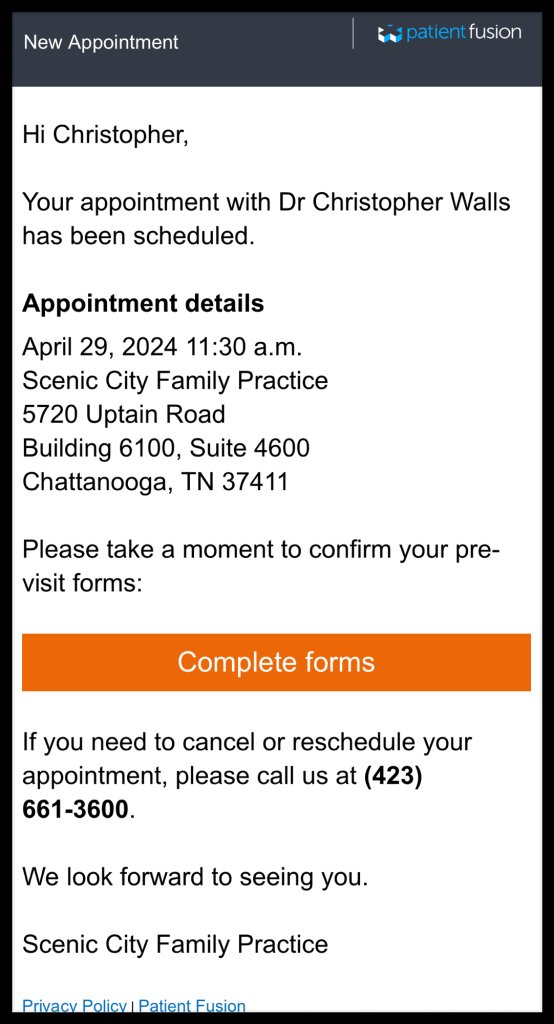
Appointment Confirmation [Patient Fusion: noreply@em.patientfusion.com]: You will receive an email with your appointment information and a link to complete the electronic New Patient Registration and Health History form. Please complete the electronic form by clicking the “Complete forms” orange banner, as shown in the following photo. This process requires you to create an account with our secure patient portal platform (PatientFusion.com). Please make note of your log in information during this process, as we do not have access to it. If you are unable to complete the electronic form in one sitting due to the number of questions or the extent of the information being requested, you can save your progress and return at a later time.
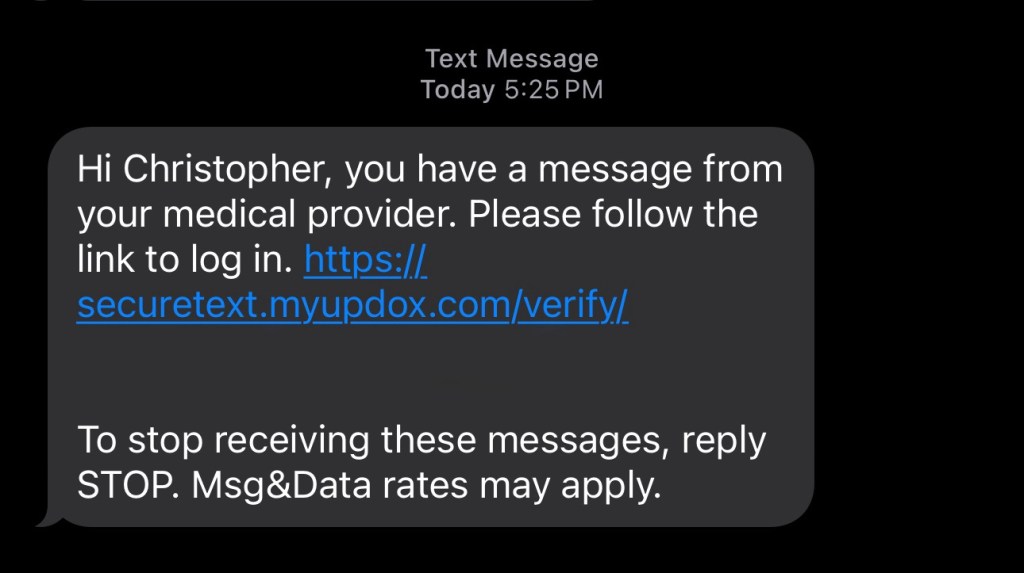
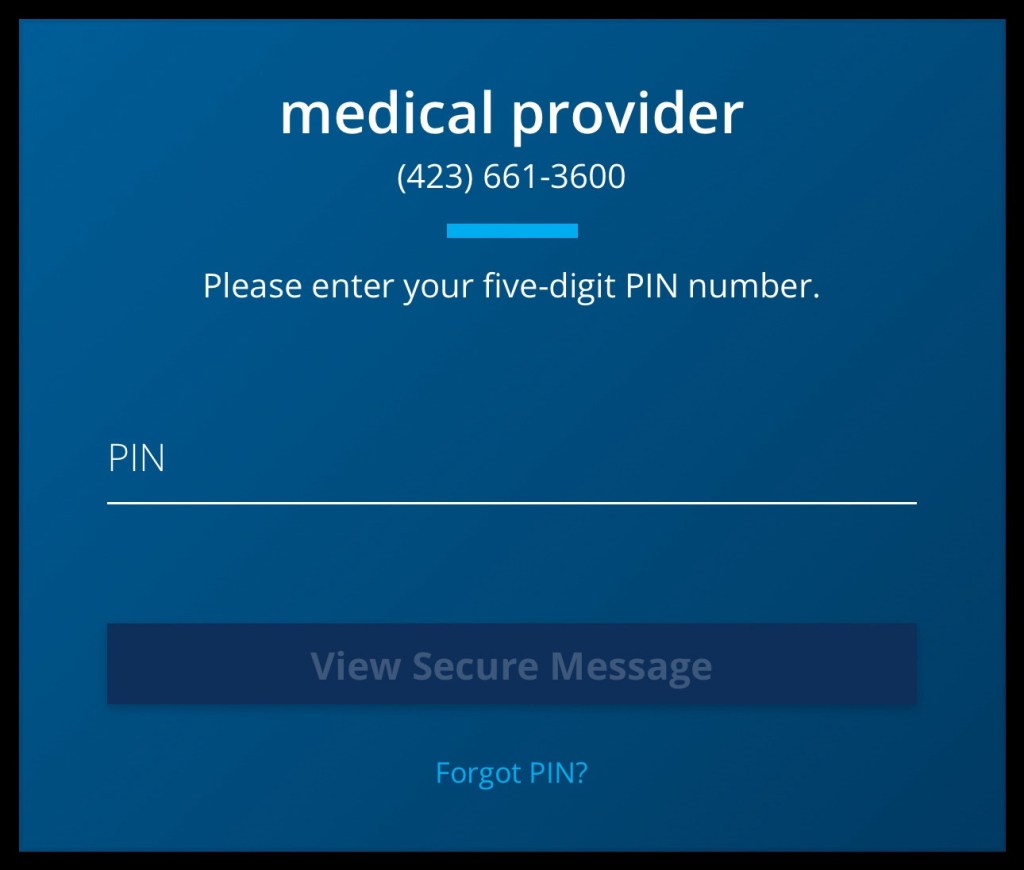
Secure Text [+1 (855) 982-1364]: You will receive a text message from the listed number stating “…you have a message from your medical provider. Please follow the link to log in. <SECURELINK>” with a link to access the message, as shown in the following photo. Once you click the link, you will be required to create a 5-digit PIN code to access a secure text thread. For your future convenience, please make note of what you select as your PIN to access future messages from Scenic City Family Practice and to avoid having to request a PIN reset the next time we attempt to communicate with you. ALL SECURE MESSAGES EXPIRE AFTER 72 hours, so please respond to these messages promptly.
- ID & Insurance Cards: Please respond to the secure text with front and back photos of your ID and health insurance card(s).
- SCFP vCard: The secure text will have our vCard attached to download and save to your Contacts. Some devices change the custom labels for numbers and email addresses to the device defaults (i.e. home, work, mobile, etc.), so we also include a photo to reference what each item should be labeled. Adding this vCard to your contacts will prevent your device and network from flagging future communication from us as Spam. It also contains our social media information, links to patient and payment portals and Google review site.
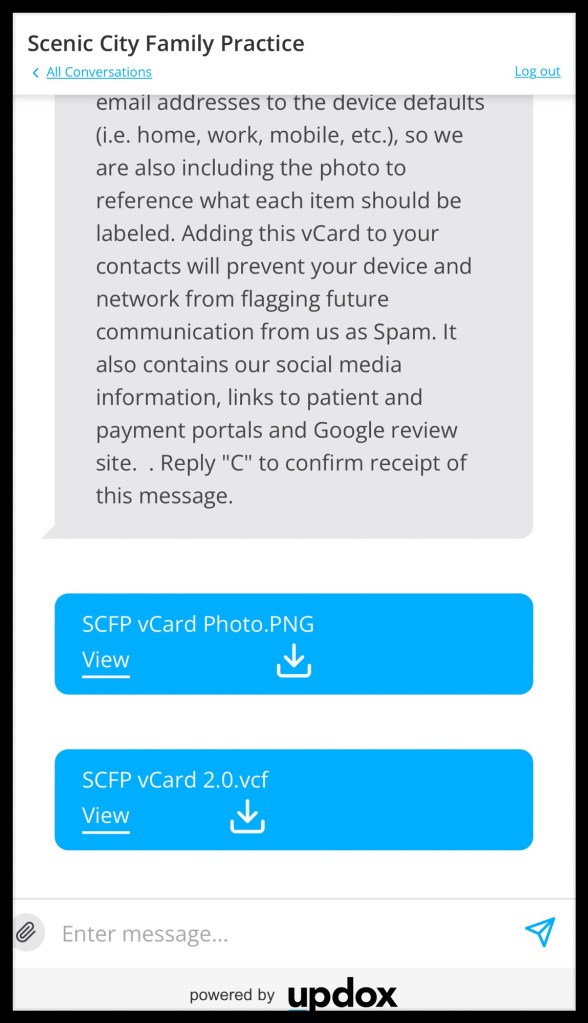
You may also respond with any additional information or upload documents (photos, PDFs, etc.) of items you wish to share with your healthcare provider, such as vaccination or other health records, by clicking the paper clip next to the Enter message box at the bottom of the screen.
To avoid cancellation, you must complete and submit the electronic New Patient Registration and Health History form and reply to the secure text with the front and back photos of your ID and health insurance card(s) within 72 hours.
Access Additional Portals: In addition to our patient and payment portals, we request that every patient set up access to their health insurance member portal and pharmacy portal.
- Health Insurance Member Portal: It is virtually impossible for us to have knowledge of what services each insurance plan covers. Knowing your insurance benefits is your responsibility. This important information can help you make better health care decisions. Your online health insurance member portal provides lets you quickly access your information anywhere you have internet access. Once you have created access to your member portal, we recommend that you also save the log in page to your favorites or device home screen.
- Pharmacy Portal: Create your pharmacy portal account so that you can manage your prescription needs in one place without having to call your pharmacy staff or provider, including setting up auto refills and reminders, checking prices and the number of remaining refills, etc.
Accessing Your Electronic Health Record
After you have been seen at your first appointment, we will enable your access to your electronic health record (EHR) before you leave the clinic. This access will allow you to view the following information in your EHR via the Patient Fusion® Portal.
- Lab test results
- Diagnoses
- Medications
- Allergies
- Care plans
- Visit summaries
- Vital signs
- Social history
Schedule Your First Appointment
To request a New Patient Appointment, visit our scheduling page at Christopher B. Walls at Patient Fusion to request a new patient appointment.
 SCENIC CITY FAMILY PRACTICE